
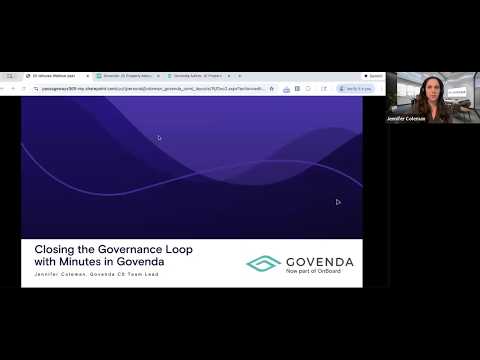
▶ Watch the webinar: Closing the Governance Loop with Minutes in Govenda
Most organizations put real effort into drafting and approving board minutes. The part that often gets overlooked is what happens next — where the final, official version actually lands.
A quick poll at the start of a recent Govenda webinar told the story: attendees were storing finalized minutes in a shared drive, attaching them to future meeting agendas, or a mix of both. These aren't wrong approaches exactly, but they create a problem over time. Minutes that are approved but buried become difficult to retrieve, nearly impossible to search, and a headache when an audit request arrives or a new board chair needs to get up to speed quickly.
Publishing minutes directly to the meeting record inside Govenda is a one-step fix that most administrators aren't taking full advantage of yet.
What Board Members See When You Publish Correctly
When minutes are published as intended in Govenda, directors get a dedicated Minutes page in the member portal — separate from meeting agendas and documents. From there, they can locate any past set of minutes by searching the meeting name, filtering by group or committee, or browsing by date.
That matters because board members don't always remember which meeting covered a particular topic. With Govenda's intelligent search, a director can search a concept — "increase to marketing budget," for example — filter to meeting minutes, and pull up every set of minutes where that topic appears. No more scrolling through old agenda PDFs hoping the right document surfaces.
As your archive builds, that centralized minutes page becomes a fast, reliable source of institutional knowledge that grows more valuable over time.
The Admin Workflow: Simpler Than You'd Expect
On the administrator side, the core process is straightforward. Once your minutes are drafted and finalized, open the past meeting they correspond to, navigate to the Minutes tab, upload your document, and click Publish. That's what places the minutes on the member portal's Minutes page and makes them accessible to the board.
There's no overhaul required to your existing drafting or approval workflow. This is one additional step at the end of a process you already have.
What Else You Can Do Before Publishing
If you're adding minutes to a meeting before formal board approval has taken place, Govenda gives you a few useful options.
You can invite other administrators to collaborate on the document — useful when multiple people contribute to a final draft or when a second set of eyes is part of your review process. You can also export a PDF to share as a printable version at your next meeting, or use the "Attach to Agenda" option to add the minutes as a line item on an upcoming meeting agenda automatically, so approval is already built into the next meeting's flow.
Collecting E-Signatures Without the Back-and-Forth
For organizations that need formal sign-off on finalized minutes, Govenda's e-signature tool is built directly into the Minutes page. Once your document is uploaded, you can request signatures, select signers, and drag their signature block to the appropriate spot on the document.
Signers receive an email notification, and the request also surfaces under their "Needs Attention" section when they log into the member portal — so it's hard to miss. While signatures are pending, the document is locked from further editing and publishing pauses until everyone has signed.
Govenda supports three signature types: click-to-sign (a stamped signature with the signer's name and date), capture signature (drawn with a mouse or trackpad), and mobile signature for board members signing on a phone or tablet.
Controlling Who Can See What
By default, minutes inherit the same permissions as the meeting they're attached to. But there are situations where that doesn't fit — committee minutes that need to go to the full board without exposing the complete meeting agenda, or executive session records that require tighter access.
Govenda lets you set permissions on the minutes separately from the meeting itself. Add the groups or individuals who should have access, and the rest of the meeting materials remain unaffected.
Why This Step Is Worth Building Into Your Routine
The value of centralized, searchable minutes compounds over time. Audit prep that used to mean hunting through shared drives becomes a quick search. A new board chair or incoming executive can find relevant past decisions without asking anyone to dig up files. And every set of minutes follows the same consistent, defensible process — drafted after the meeting, reviewed, approved, and stored in one place.
Publishing minutes to the meeting record in Govenda takes about 60 seconds. Over the course of a year, across every committee and board meeting, that discipline adds up to a governance archive that actually works when you need it.
Watch the full webinar recording here, or reach out to your customer success manager if you'd like a walkthrough of any part of this process.
Comments
0 comments
Please sign in to leave a comment.